Music theory for your classroom
Free guides to teach from, self-grading practice drills, and complete printable curricula with answer keys. Students practice without accounts — when they finish, they can send you a verifiable results link for your gradebook.
Teach it
Every topic has a free illustrated guide with learning objectives, engraved examples with sound, and self-check quizzes — project it, or flip the classroom and assign the reading.
Browse guides by topic →Assign it
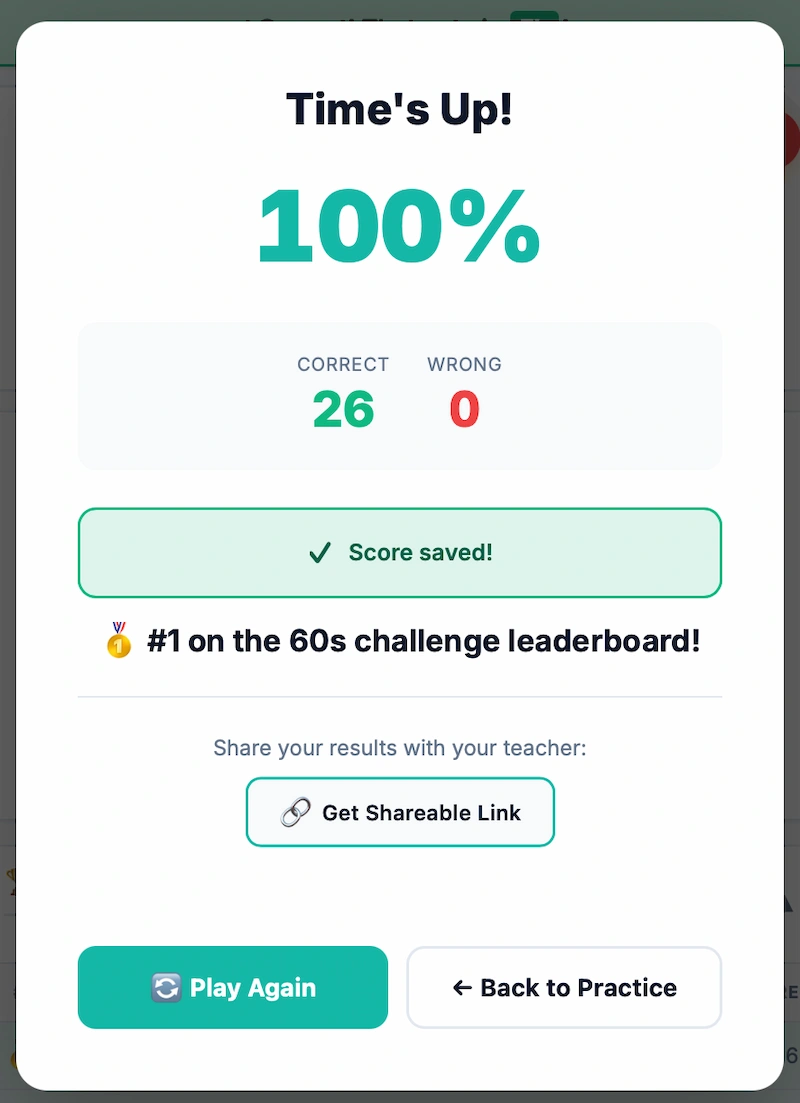
Self-grading drills with a 60-second challenge mode. Students practice with no login, then submit one verifiable results link — name, score, accuracy, time.
Copy a ready-made assignment →Print it
Complete sequenced curricula and worksheet packs — matched A/B versions, checkpoints, assessments, answer keys. Black-and-white, photocopy forever.
See what’s inside →Verifiable results, without the gradebook chase
Three steps. Students only sign in at the very end, to stamp their result.
Assign
Paste a template below into Canvas, Google Classroom, Blackboard — or just share a link and a goal.
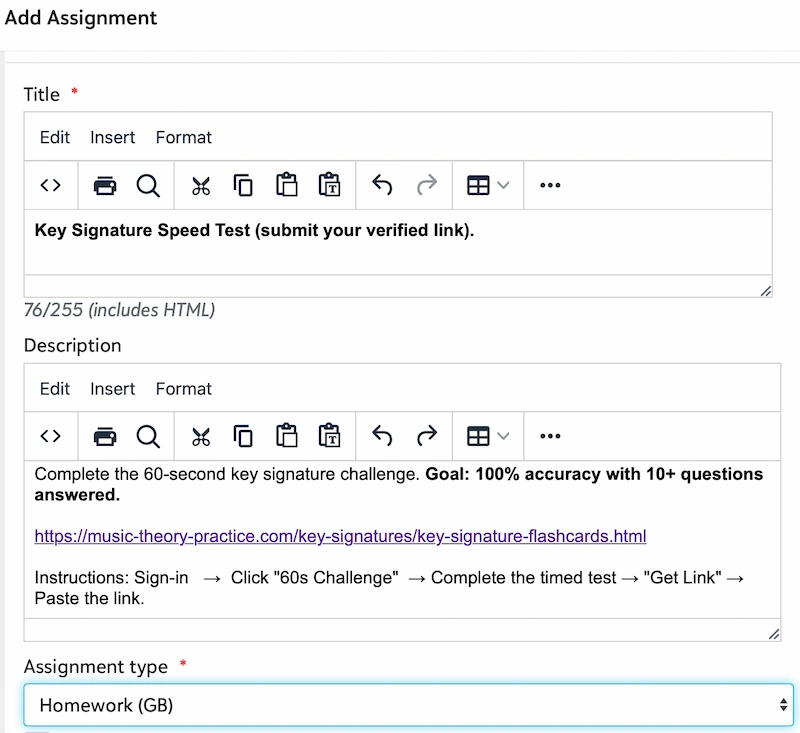
Students practice & submit
No login to practice. At the end they sign in with Google once and get a shareable results link.
You verify
The link shows name, email, topic, score, accuracy, time, date — with one-click CSV for your gradebook.
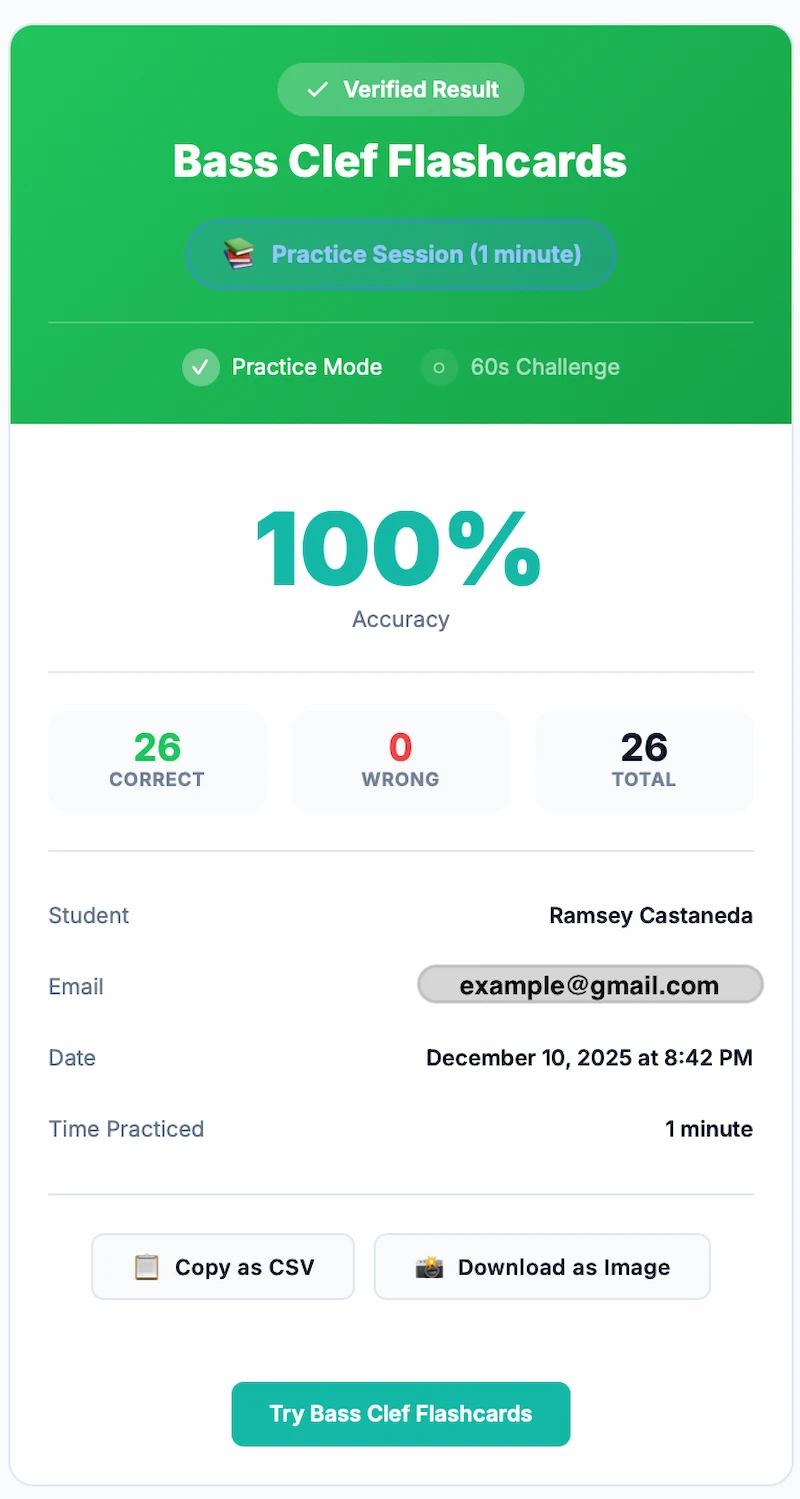
View Results
→ Sign in with Google → Get Shareable Link, then paste
the link into the assignment. (Every template below already includes it.)
The printed curricula
Sequenced units: LEARN (student guide) → PRACTICE (worksheets in matched A/B versions) → CHECK (cumulative checkpoints), capped by a two-form assessment. Answer keys for every sheet.
Treble Clef Note Reading
25 PDFs · 86 pages · files 00–20- Staff notes → accidentals → ledger lines
- Foundations Check — mnemonics from memory
- 3 checkpoints + final assessment (Forms A+B)
Bass Clef Note Reading
25 PDFs · 86 pages · files 00–20- All Cows Eat Grass · Good Boys Do Fine Always
- Same sequence as treble — one studio, one system
- 3 checkpoints + final assessment (Forms A+B)
Key Signatures
19 PDFs · 76 pages · files 00–15- Major AND relative minor on every sheet
- Treble and bass together — no second purchase
- 2 checkpoints + final assessment (Forms A+B)
Ready-made assignments
Copy one into your LMS. Each one runs the full pipeline for the student — read the guide, drill the skill, submit the verified link — so an assignment teaches before it tests.
Note Reading
Treble Clef
PracticeTreble Clef
ChallengeBass Clef
PracticeBass Clef
ChallengeLedger Lines
PracticeNote Zapper (beginners)
PracticeKey Signatures
Key Signatures
PracticeKey Signatures
ChallengeIntervals
Ascending Intervals
PracticeDescending Intervals
PracticeEar Training
Interval Ear Training
PracticeMelodic Dictation
PracticeModes & Scales
Church Modes
PracticeMajor Scales
PracticeJazz Theory
ii–V–I Progressions
PracticeSecondary Dominants
PracticeFor the projector
Class-facing tools — put them on the board and let students call the answers.
Good to know
- Do students need accounts?
- Only to submit. Practice works with no login; they sign in with Google once, at the end, to generate the verifiable link.
- How do I know it’s really them?
- The verification page shows the student’s name and Google email — confirm it matches your roster.
- Can I put results in my gradebook?
- Yes — every verification page has a “Copy as CSV” button, and a PNG copy for your records.
- How long are links valid?
- Verification links stay valid for 30 days.
- What’s the license on the printed materials?
- One teacher: print and photocopy freely for your own students, forever. Each teacher needs their own copy.
- Questions?
- Email [email protected].